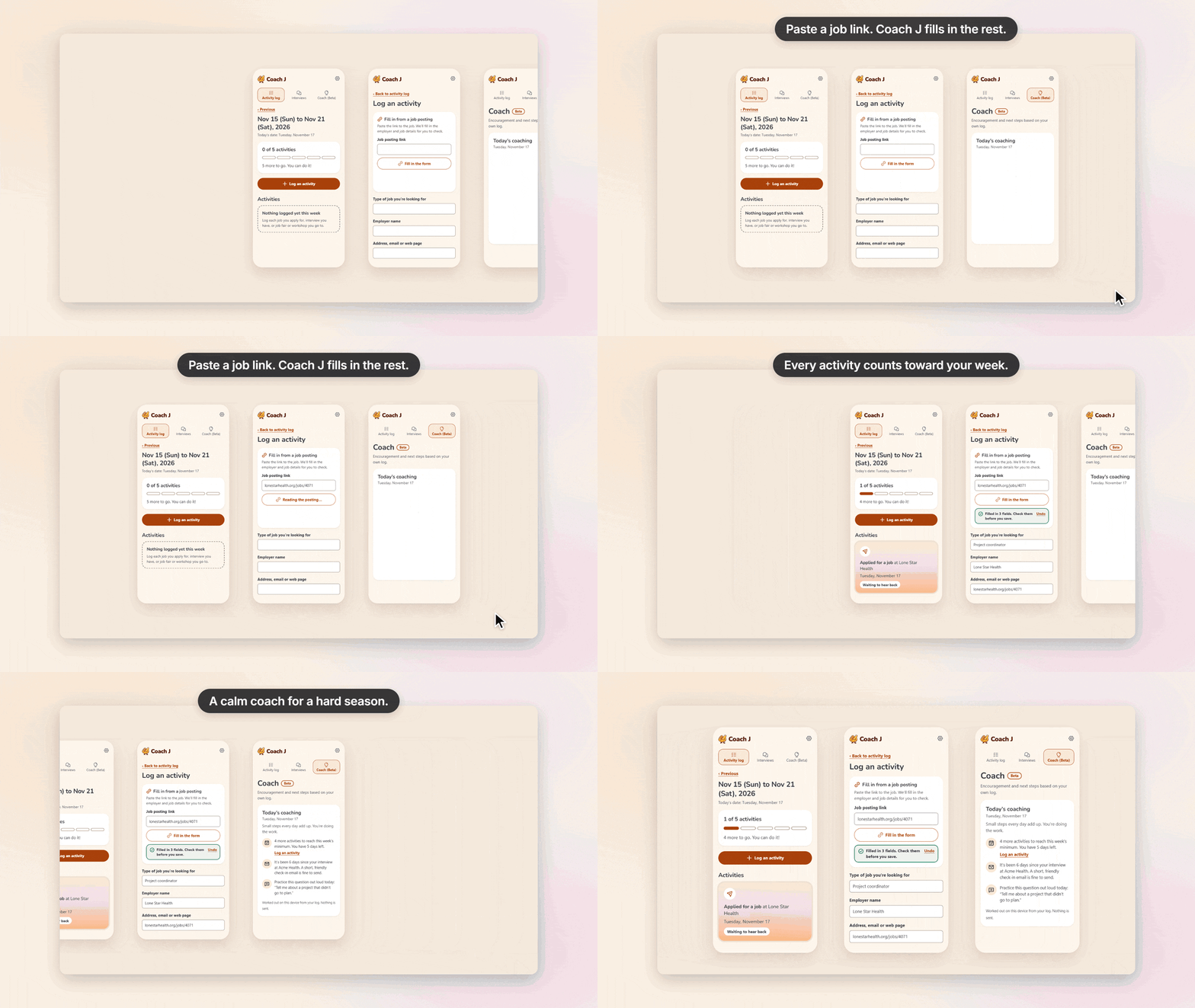
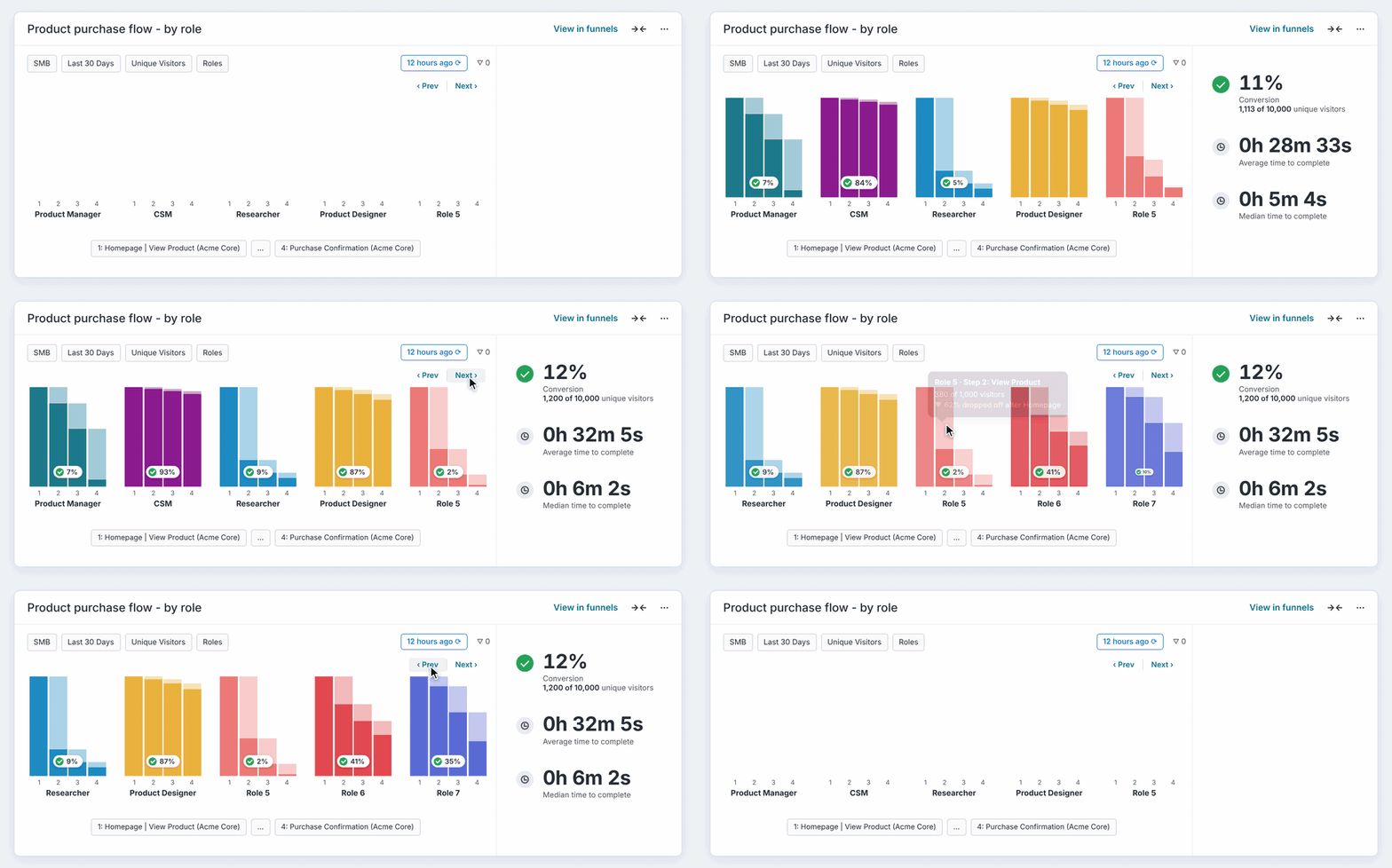
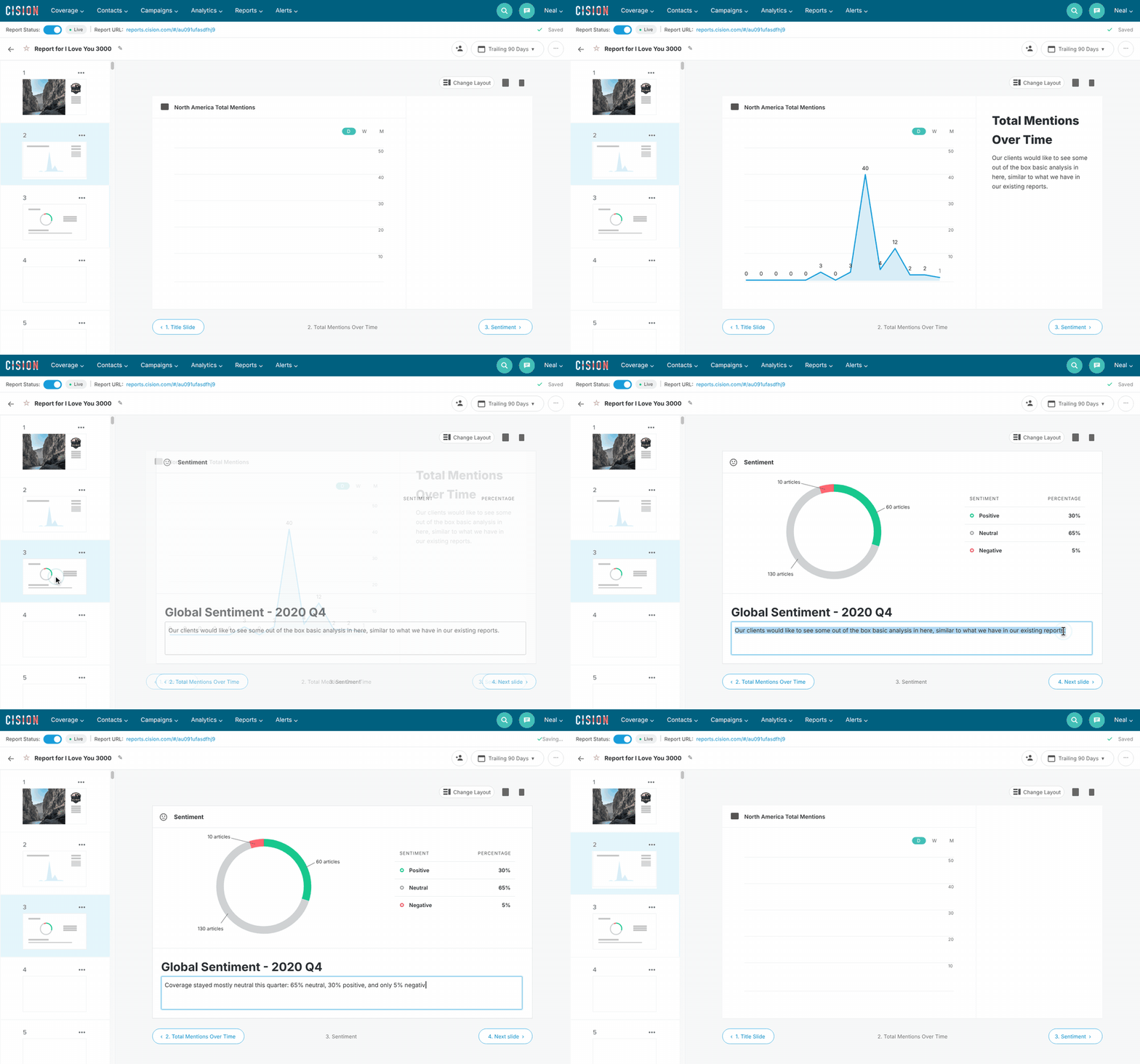
UX, UI, Research, Prototyping, Product decisions (PM on leave)
How might we let admins give the right people the right access at every level — org, team and project — without having to memorize what each role can do?
A scoped access model with a centralized permission drawer, an additive rule for how roles stack, and a role/permission chart that sits right where admins assign roles.
Team: Pod 5 — EM Jeff DeWitt; engineers Giu, Jacob, Jessica; QA Adam
Timeline: 3 cycles, Q2–Sep 2026 (Cycles 5–7)
Document Crunch 2.0 only let admins grant access at the org or team level. Enterprise customers couldn't limit a project manager to just their projects, so they stayed on 1.0. Two of the five customers I interviewed named this as the single thing blocking their migration.
"It's kind of the one thing that's holding us from moving over to the 2.0... just the permission access." — Kristen Ortiz, Hill & Wilkinson
The pitch framed it as "add project-level access." In reality, access level and permissions were tangled together, and the scope turned out much larger than the PRD suggested.
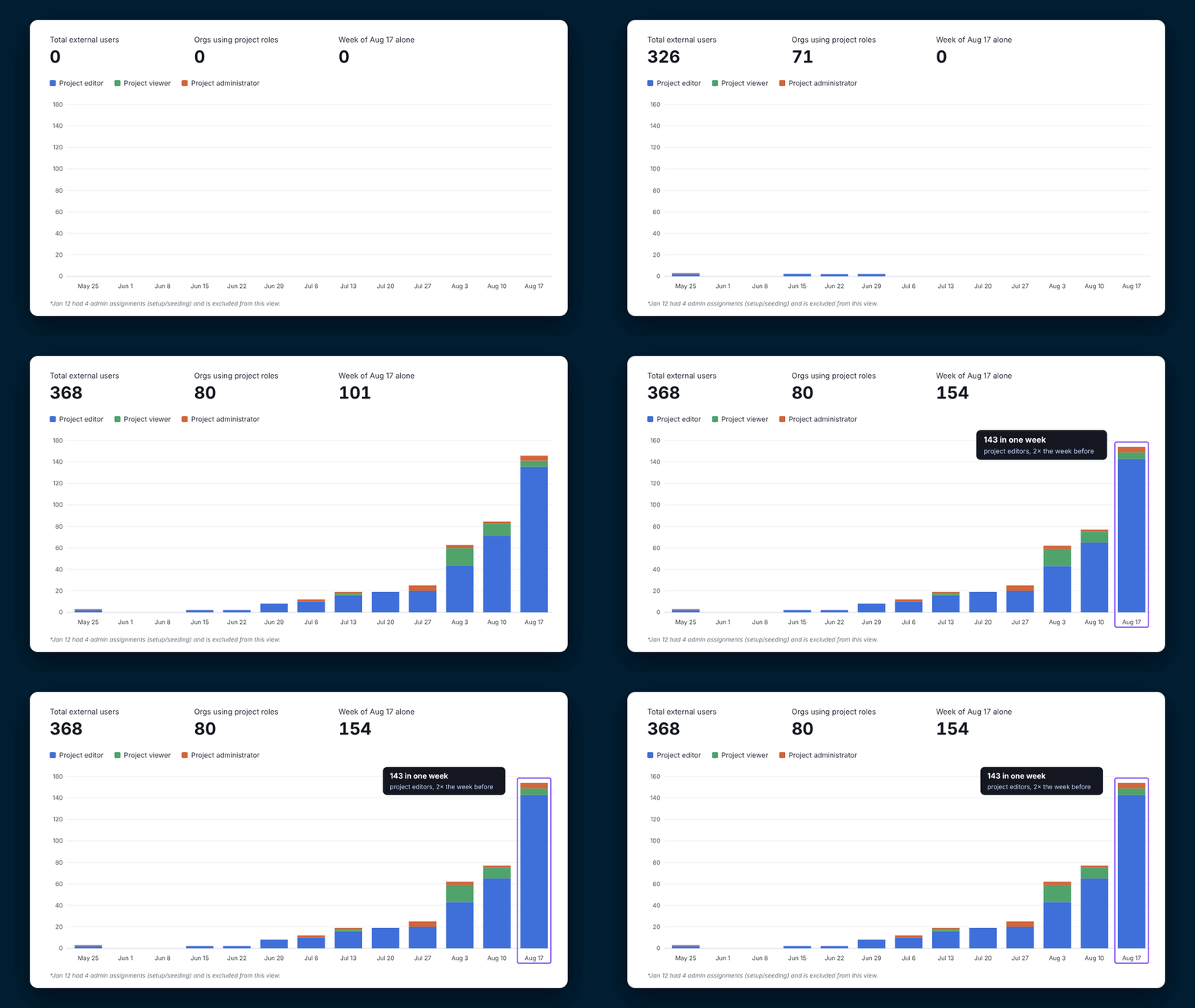
Migration from legacy platform to 2.0 improved drastically as we gradually rolled out project level roles and permissions; adoption was also steadily climbing.
I started with my usual process — stakeholders, customers, then a prototype — and let each round of feedback reshape the scope.
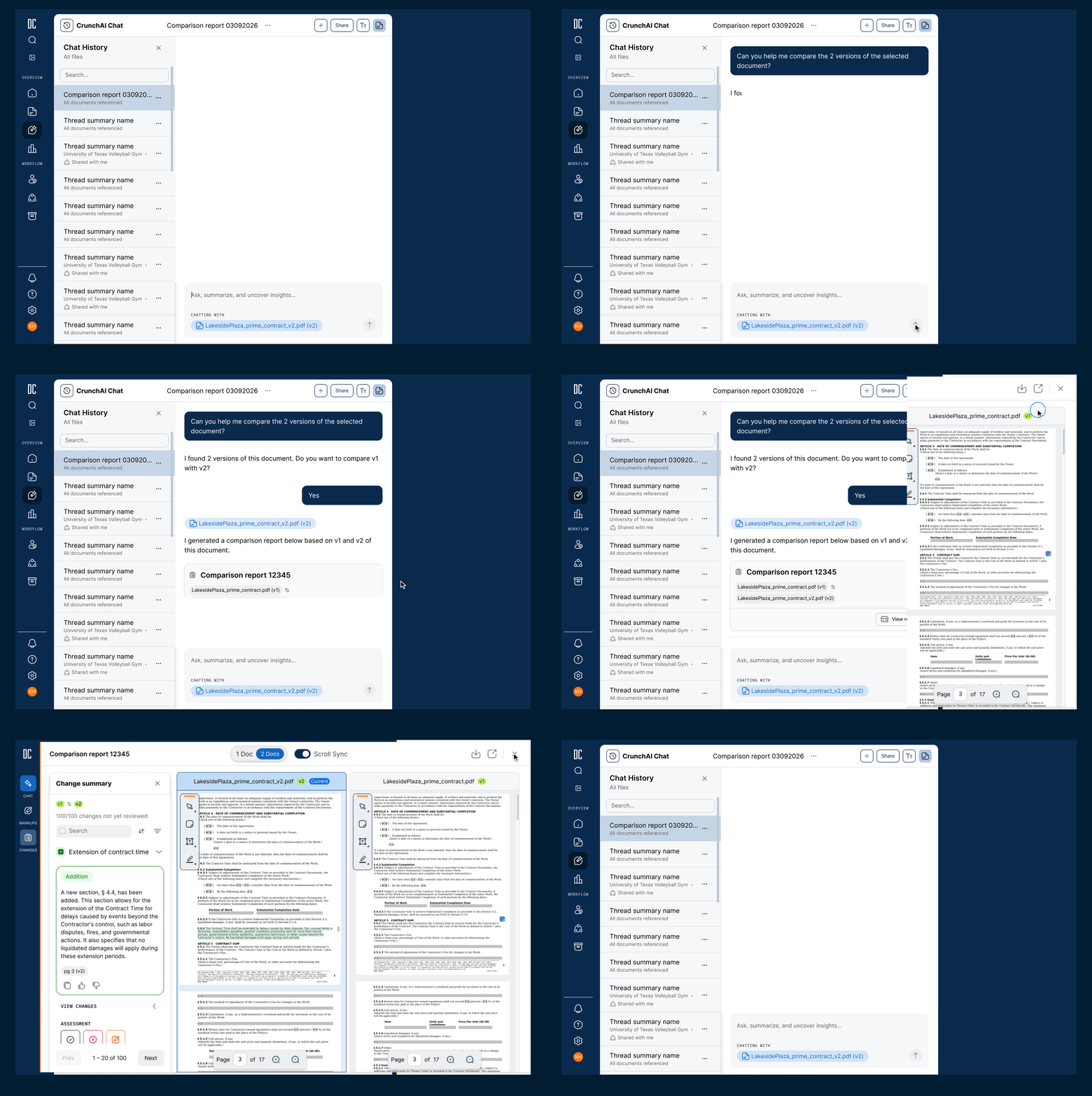
Admins wanted a centralized view, so I designed a permission drawer: one panel showing a person's access from org down to each team and project.
"A couple hundred users... it would be very time-consuming to click on a person's name, see what projects they have access to." — Daniel Jaimes, Balfour Beatty
Customers praised its vertical, high-to-low layout over the horizontal or tabbed layouts in other tools. But putting every level in one view also exposed how complex our role hierarchy really was.
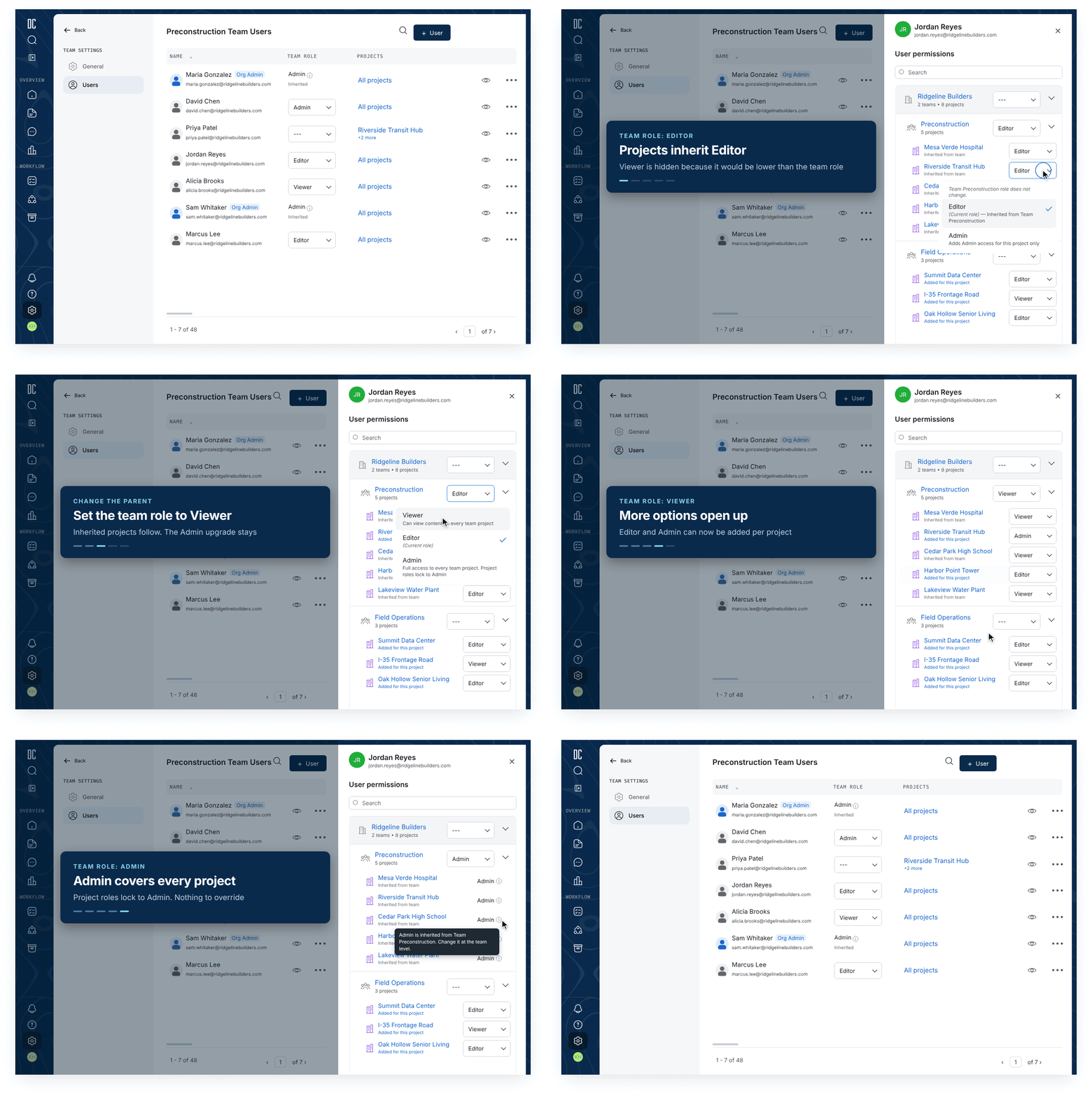
Our system was top-down, so a child's role could never override a parent's. Rather than fight the architecture, I tested whether it was a problem at all.
Then I learned about Custom Roles. With custom permission sets, there's no "higher" or "lower" role, so my hide-the-lower-roles rule fell apart.
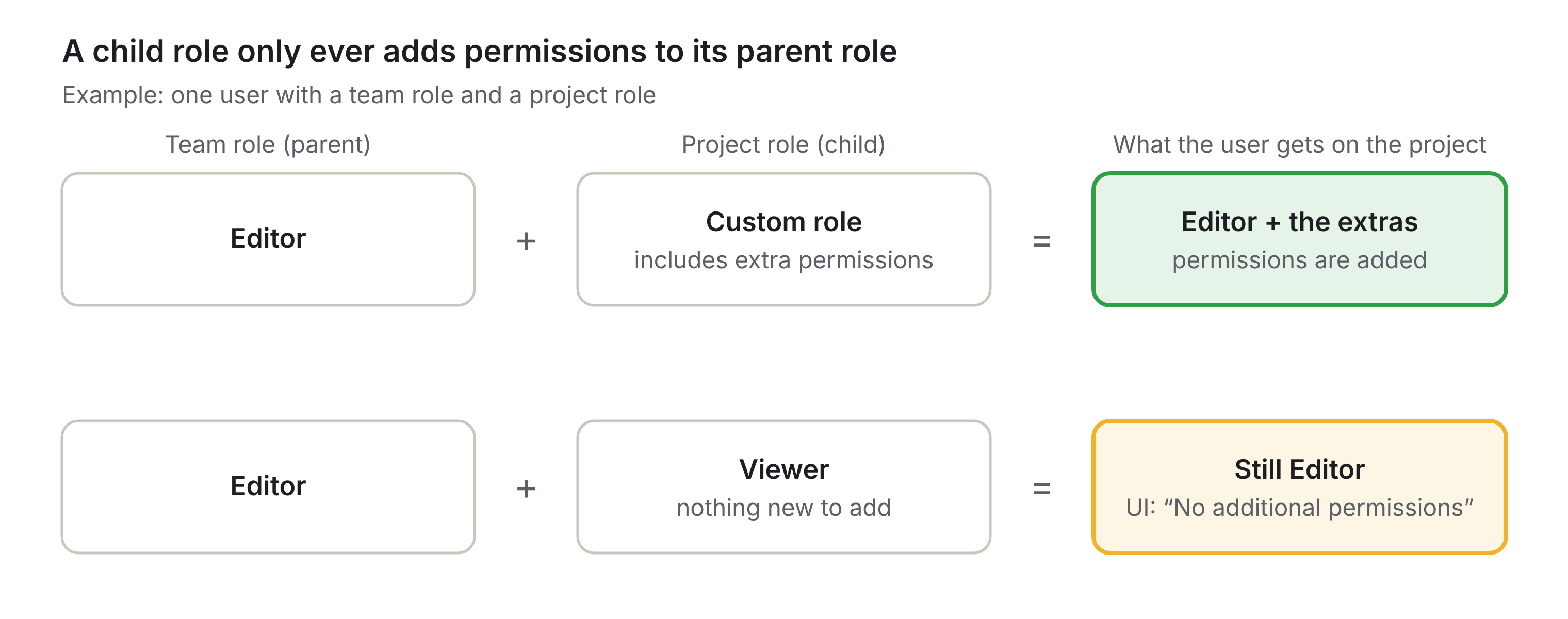
A project role can add permissions but never take any away, so a lower role simply changes nothing — and we say so.
Users understood the permission model better than I expected. The people who manage users tend to be more tech-savvy, and every participant read our "dash = no role assigned" convention correctly on first try.
The real problem was memory: "I don't remember which role can do what."
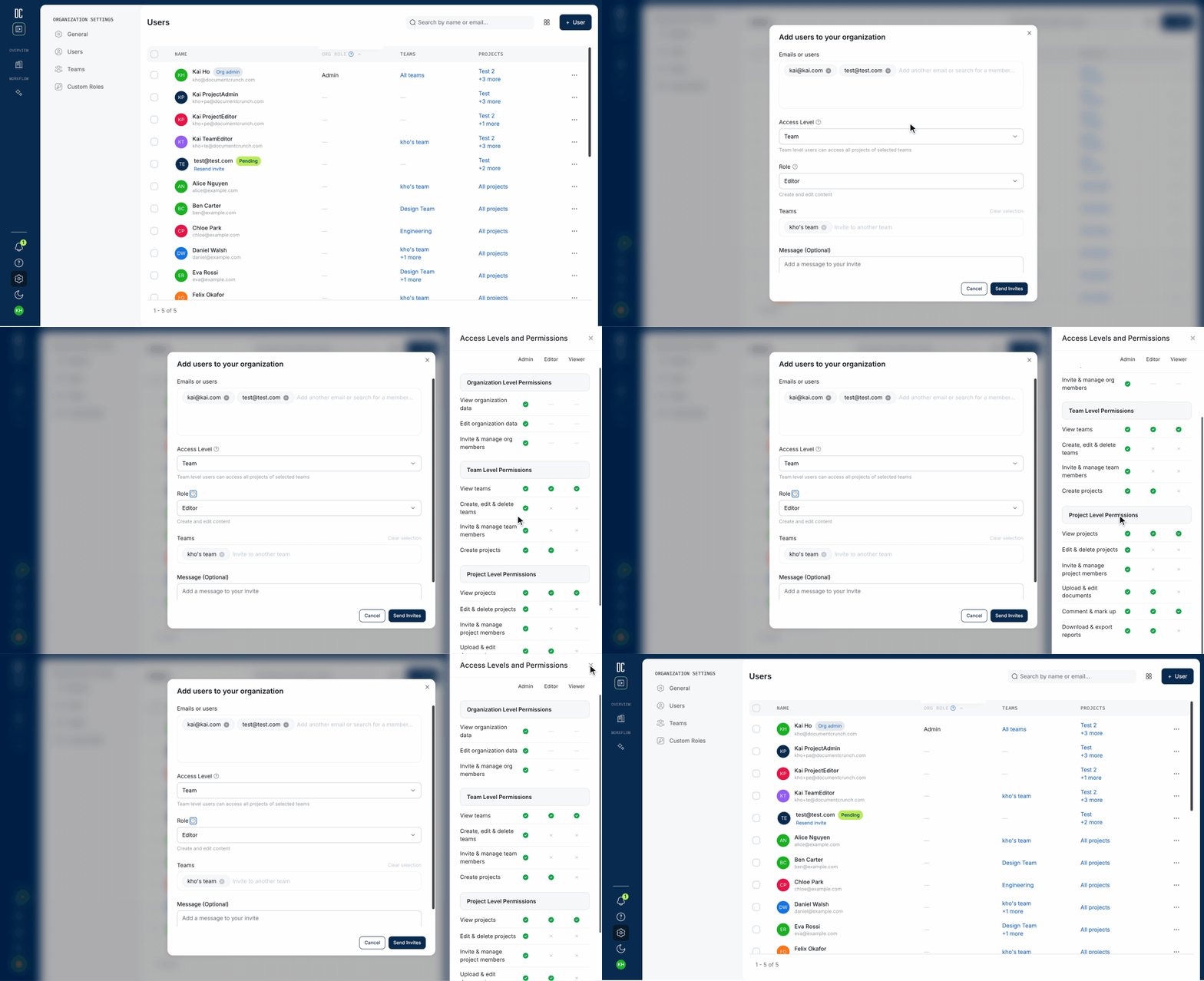
In Cycle 7, I designed a role/permission chart that opens right where admins assign or edit a role. It shows exactly which role can do what, at which level, so admins never have to guess or leave the flow.
I ran 5 moderated sessions from June 29 to July 22, 2026, with customers ranging from a 6-person compliance team to a general contractor consolidating about 1,000 users.
Cycle 7 focused on usability, guided by feedback from CS and Sales:
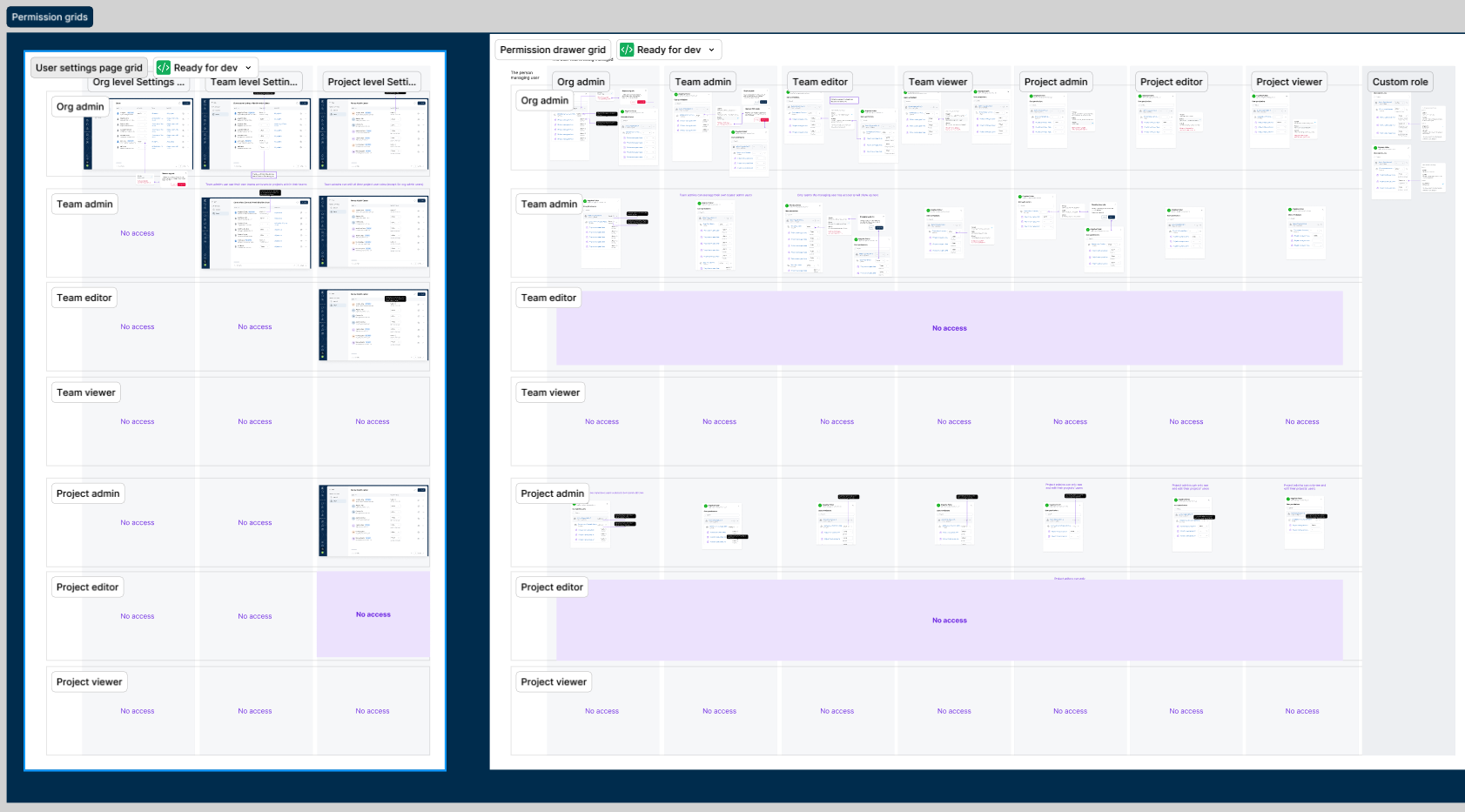
With our PM on leave, I worked directly with EM Jeff DeWitt and engineers Giu, Jacob and Jessica to make scope calls each cycle. The additive model came out of working sessions with engineering, and the design grids gave us one shared source of truth. QA tested the grid scenarios one by one.